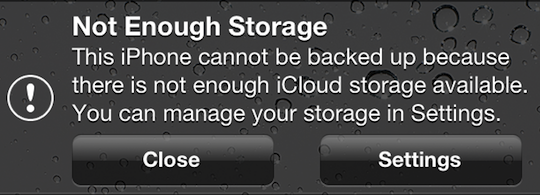
If you’re getting the following error message…
“Not Enough Storage: This iPhone cannot be backed up because there is not enough iCloud storage available. You can manage your storage in Settings.”
…this may be a legitimate error for you, and if that’s the case, then the answer for you is to either copy some of the data from your iOS device to your computer and delete the data you just copied from your iOS device so there is less to backup to iCloud, OR you can simply buy more iCloud storage.
And keep in mind that if you are backing up more than one device to the iCloud, that each backup of each device will count as additional space being taken up, even if they are the same files on each device.
However, if your situation is similar to the one that I encountered where you aren’t backing up much data in the first place, and then all of a sudden you don’t have enough space to backup your device via iCloud, this fix is for you.
Here is how to fix it:
Go to Settings>General>Usage>under “iCloud”, select Manage Storage>select your iOS device
Here is the screen that you’ll get:
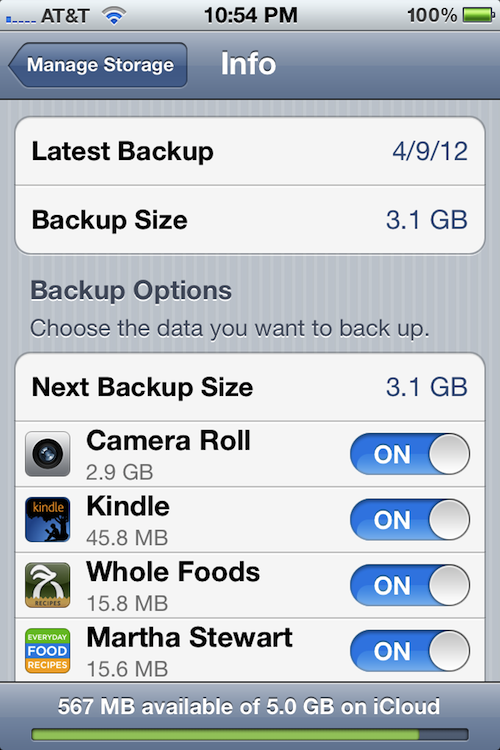
It will tell you the date of the lastest backup, as well as its size. Below that, under “Backup Options”, it will tell you the “Next Backup Size”, which tells you how large the next backup will be. And below that, it will tell you the items that are taking up the most space in order of size, from most to least.
The On/Off switch next to each item listed is turning on and off the backing up of the data for that section or app. So if there is data that you don’t care about backing up, just switch the On/Off switch next to it to “Off”, and if that fixes your storage issue (frees up enough space), then you are good to go.
In this case, the next backup was going to be 5.3GB (this is not pictured above, because I fixed the issue before I decided to blog about it), however the most recent one was only 3.1GB.
On top of that, Apple only gives you 5GB free in your iCloud account. Any more storage space, and you’ll need to pay. Since both the iPhone and iPad were being backed up in this case, something needed to be done.
So I looked under the “Next Backup Size” to see what was taking up the most space, and it was the Camera Roll, which is the album in the Photos app that has all of the photos that you take with your iPhone, the screenshots that you take of the phone’s screen, and the videos that you take with the phone.
I then went to the Camera Roll album to take a look at what was taking up so much space so soon after the last backup, and I noticed that there was ONE video file that was 1hr 15 min long that was taking up 2.2GB of space!
Apparently, what happened was kind of like a pocket dial, where it started recording video without anyone intentionally touching it. The camera button was pressed accidentally while it was being put in a pocket.
The reason it started recording video instead of just taking a picture was that the last time the camera was used, video was taken. That setting will stay the same for the next use of the camera until you change it.
So, I just deleted the big ass video of nothingness and all was well again.
The reason this was able to happen is that with iOS 5, you can now go directly into the camera with the swipe of the screen (starting at the camera icon) without having to unlock the screen. So this is one of the downsides to that feature. However, I’ll deal with it, because it’s worth being able to catch those fleeting Kodak moments when they occur!
Hope that helps ya!
If any of you have any other fixes for this situation, feel free to post them below so others can benefit.
Thanks!
Match.com: #1 Dating Site – View Pics for Free
Los Angeles Computer Repair | Los Angeles Computer Tech | Computer Repair Services